

Step-by-Step | Reservation Random Selection Process Guide
Step-by-Step | Reservation Random Selection Process Guide
The Reservation Selection Process (“RSP”) is NOW CLOSED. But don’t worry... standby queues will be available for most Anaheim Convention Center panels and experiences. There’s so much fun in store at D23: The Ultimate Disney Fan Event—we can’t wait to see you in August!
How the Reservation RSP Works
The D23 Reservation RSP allows guests to make reservation requests for select panels, presentations, talent signings, and show floor experiences at the Anaheim Convention Center in advance of the event.
Reservations will be randomly distributed based on preferences and availability, and starting on August 7 through August 10, reservations will be assigned and then communicated to you via email if you have a confirmed selection(s). For guests who are not assigned reservations for their preferences, standby queues will be available for most Anaheim Convention Center panels and experiences.
The Reservation RSP is not first come, first served and there is no priority provided to entries based on the date and time they are submitted. You will have until 12 p.m. PT on Friday, July 24, to make your selections before the entry period closes. You can return to the page as often as you would like to review and modify your reservation selections before the entry period closes.
There are three (3) categories in which to make your reservation selections. You will be allowed to make up to four (4) selections total across all categories. The more selections you make, the better your chances may be of receiving at least one (1) reservation. For each item you select, you can select to bring up to five (5) guests. Please note: The number of additional guests must be selected when you request a reservation. Additional guests cannot be added at a later date.
- Stage Presentations: Provides reservations to the confirmed sessions at Premiere Stage, The Walt Disney Archives Stage, Backlot Stage, and Hyperion Stage.
- Talent Central: Provides reservations for the confirmed talent photos and signings at Talent Central.
- Show Floor Experiences: Provides reservations for talent signings, demonstrations, presentations, and giveaways happening in booths around the Show Floor.
Notes
- Reservations are for the Anaheim Convention Center Event Stages, Talent Central, and many Show Floor Experiences only. There are no reservations for the shows at the Honda Center; the Honda Center requires a separate ticket for entry.
- D23 Fan Pass – Afternoon Only ticket holders are not eligible to participate in the RSP reservation selection process.
- Children under the age of 18 are unable to make reservations but can accompany an adult with reservations as one of their additional guest(s).
- There may be high demand for select presentations, talent signings, and show floor experiences, so consider selecting multiple offerings to increase your odds of getting a confirmed reservation.
- Guests may only be assigned one (1) reservation during a time slot.
- A valid D23: The Ultimate Disney Fan Event adult badge is required to check in for a reservation.
- If you are picking up your badge(s) at will call, you can still participate in the Reservation RSP with your D23 Member login associated with your badge(s).
- For guests who are not assigned reservations for their preferences, standby queues will be available for most Anaheim Convention Center panels and experiences.
- All reservations are subject to change or cancellation without notice.
If you do not arrive at the location by the time specified prior to your reservation, your place may be filled by a standby guest.
STEP-BY-STEP RESERVATION RSP
- Use the button above to navigate to the Reservation Random Selection Process entry page.
- Sign in using your D23 Member account associated with your badges.
- Once you have reviewed the overview information, you will be presented with reservation selections available on the day(s) your badge is good for. If you are entering with a 3-Day badge, note the date at the top of the page can be changed to view and make selections for all three (3) days.
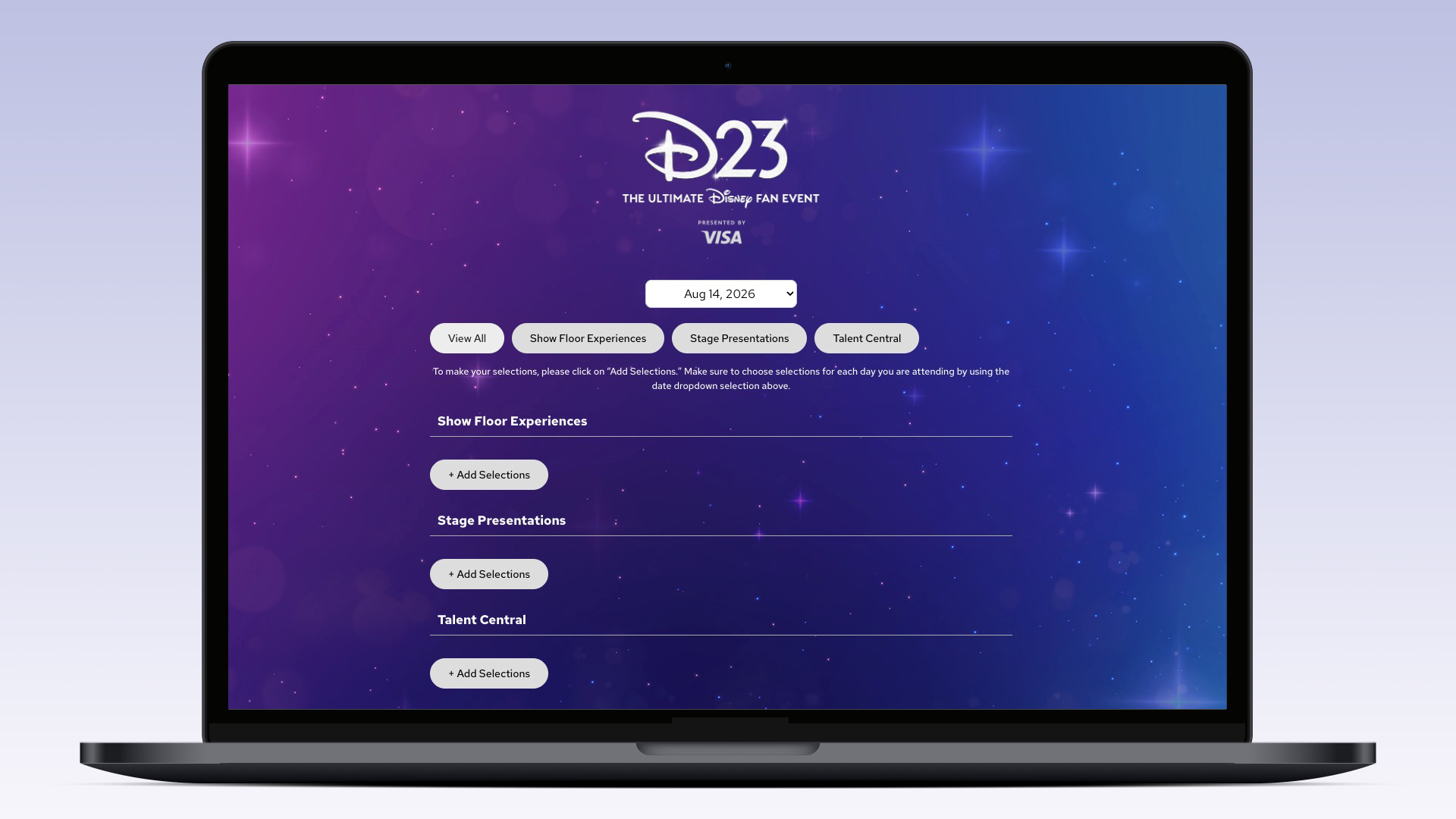
- Under each of the three (3) reservation categories, click the + Add Selections box to expand.
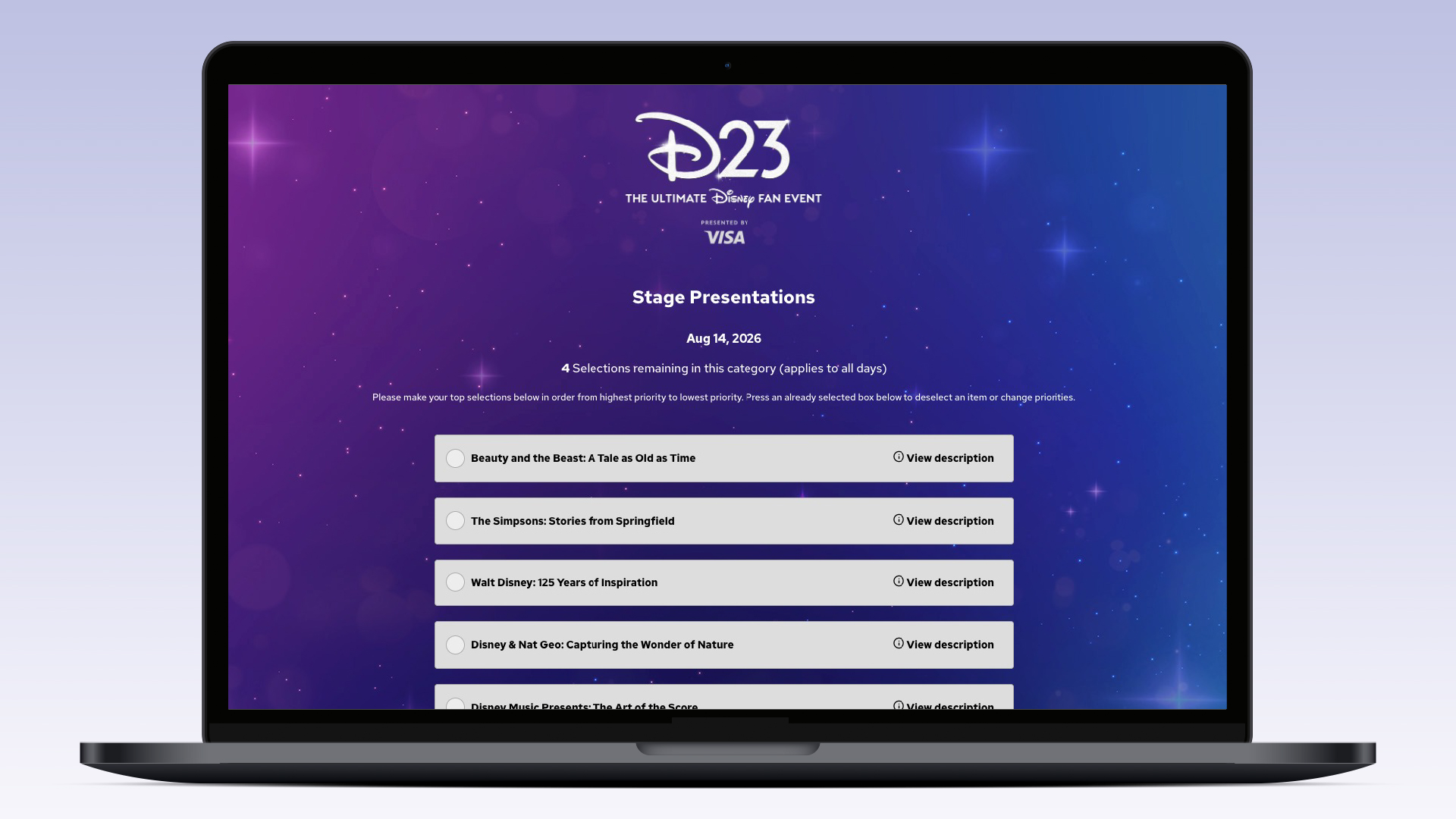
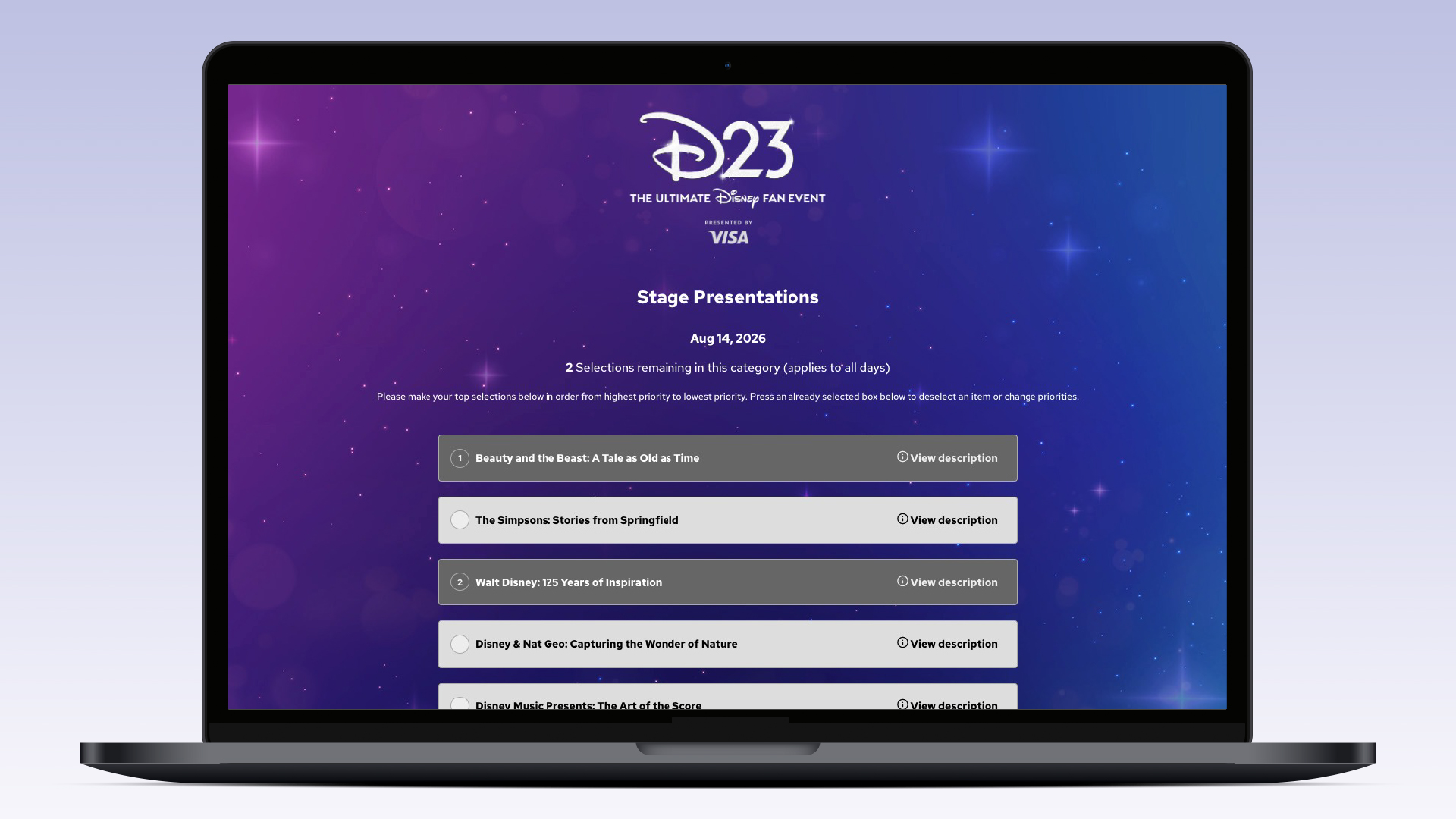
- Click on the individual reservations in each section to rank your preferences from 1–4. You can unselect an item to make changes or reorder your preferences.
- Once you are happy with your preferences, click the Continue with Selections button to choose whether guests will be joining you. Use the drop-down menu to select the number of guests who will be accompanying you (yourself + number of guests up to five (5)). Otherwise, do not select anything if you are not bringing a Guest (you only).
Note: You will need to add your guest selection to each individual reservation.
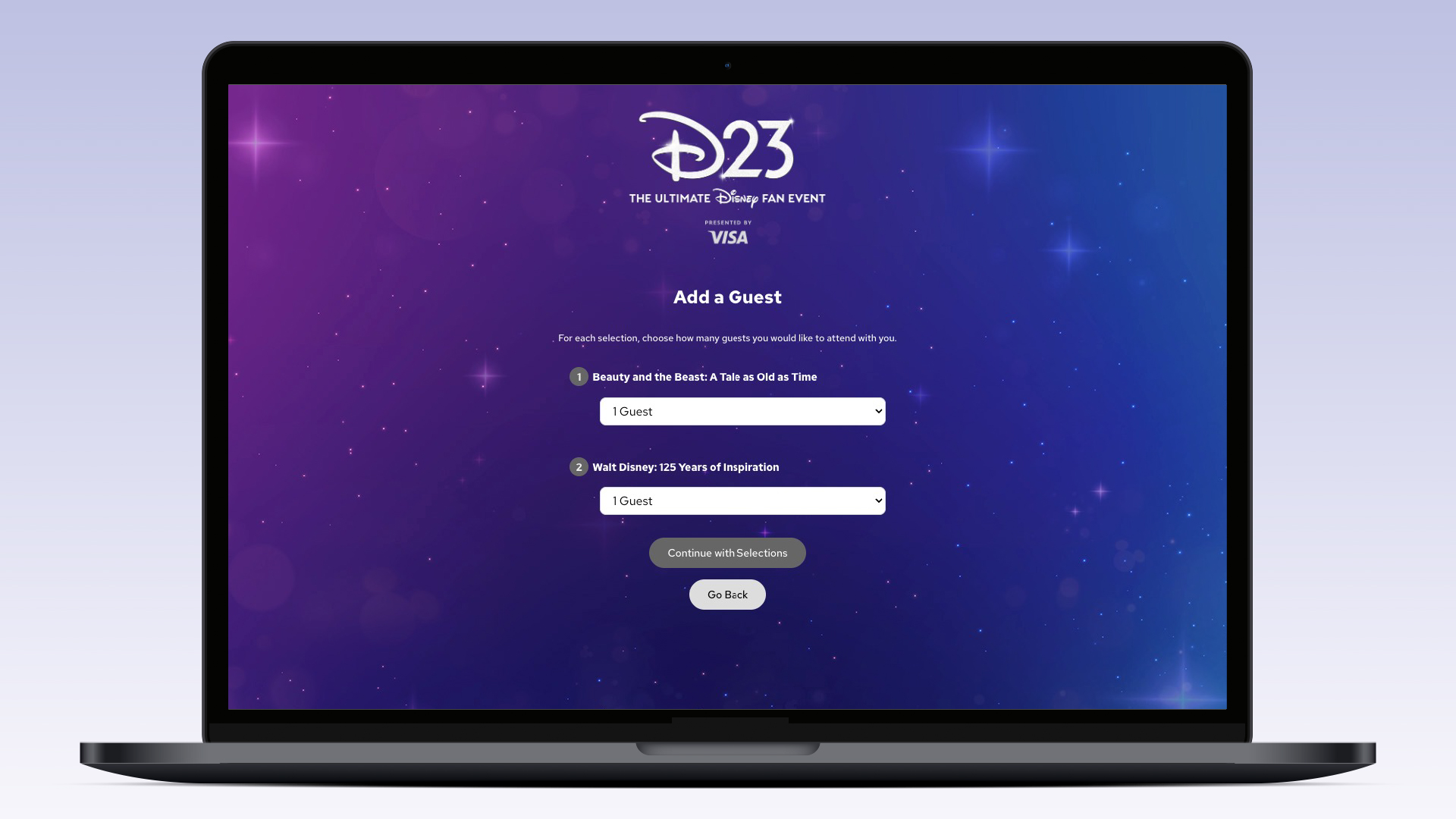
- Repeat steps 4-6 for all other reservation categories.
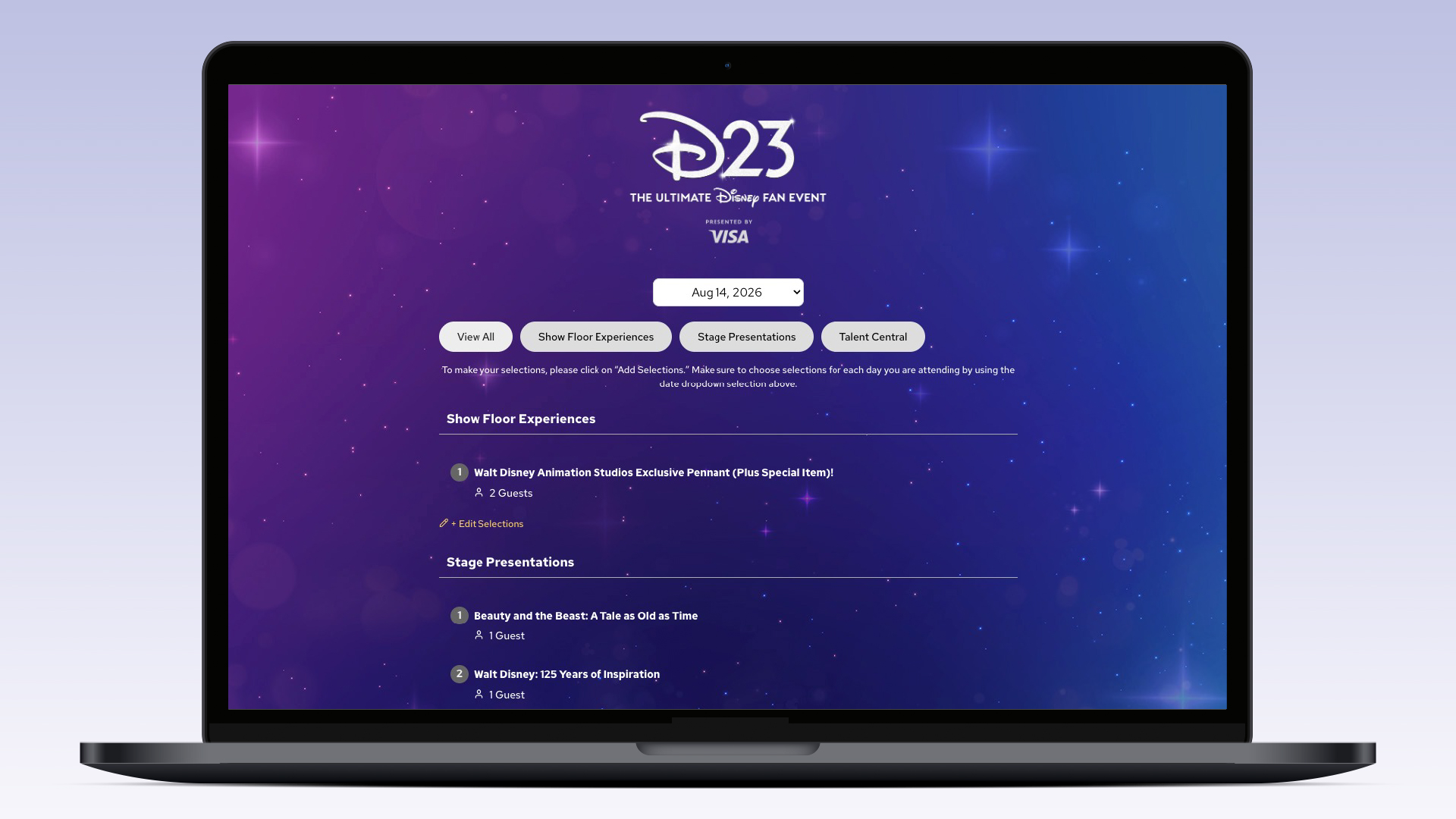
- When you’ve made your selections for all categories, click the Review Selections button at the bottom of the page to review your full list of selections.
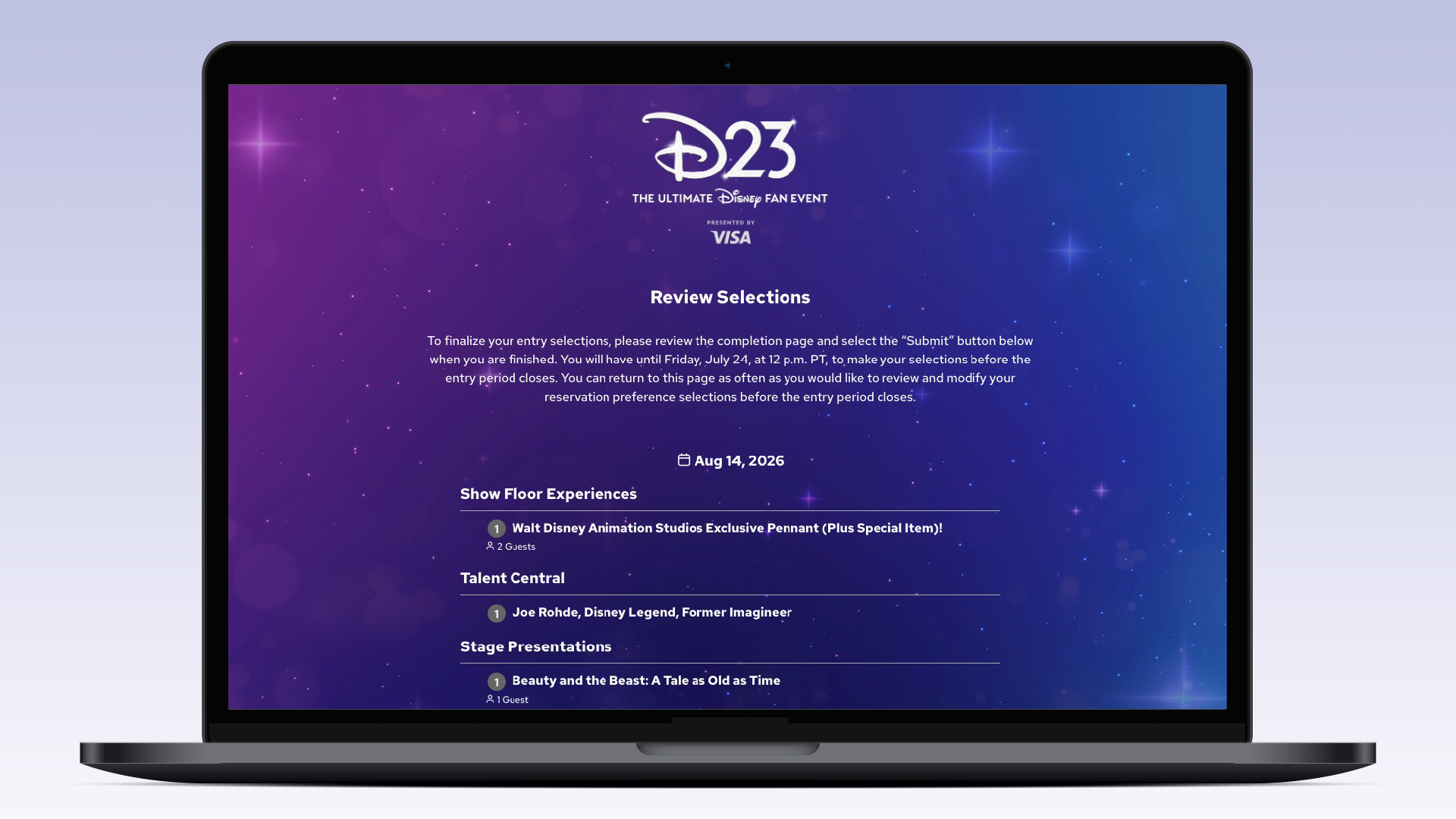
- Click the Continue button once you’re happy with your preference selections. And you are done! You will receive an email with confirmation of the selections you provided. You can also return to the start of reservations any time before July 24, 2026 at 12 p.m. PT to modify your selection preferences. Reservations will be randomly distributed based on preferences and availability, and starting on August 7, reservations will be assigned and then communicated to you via email if you have a confirmed selection(s).